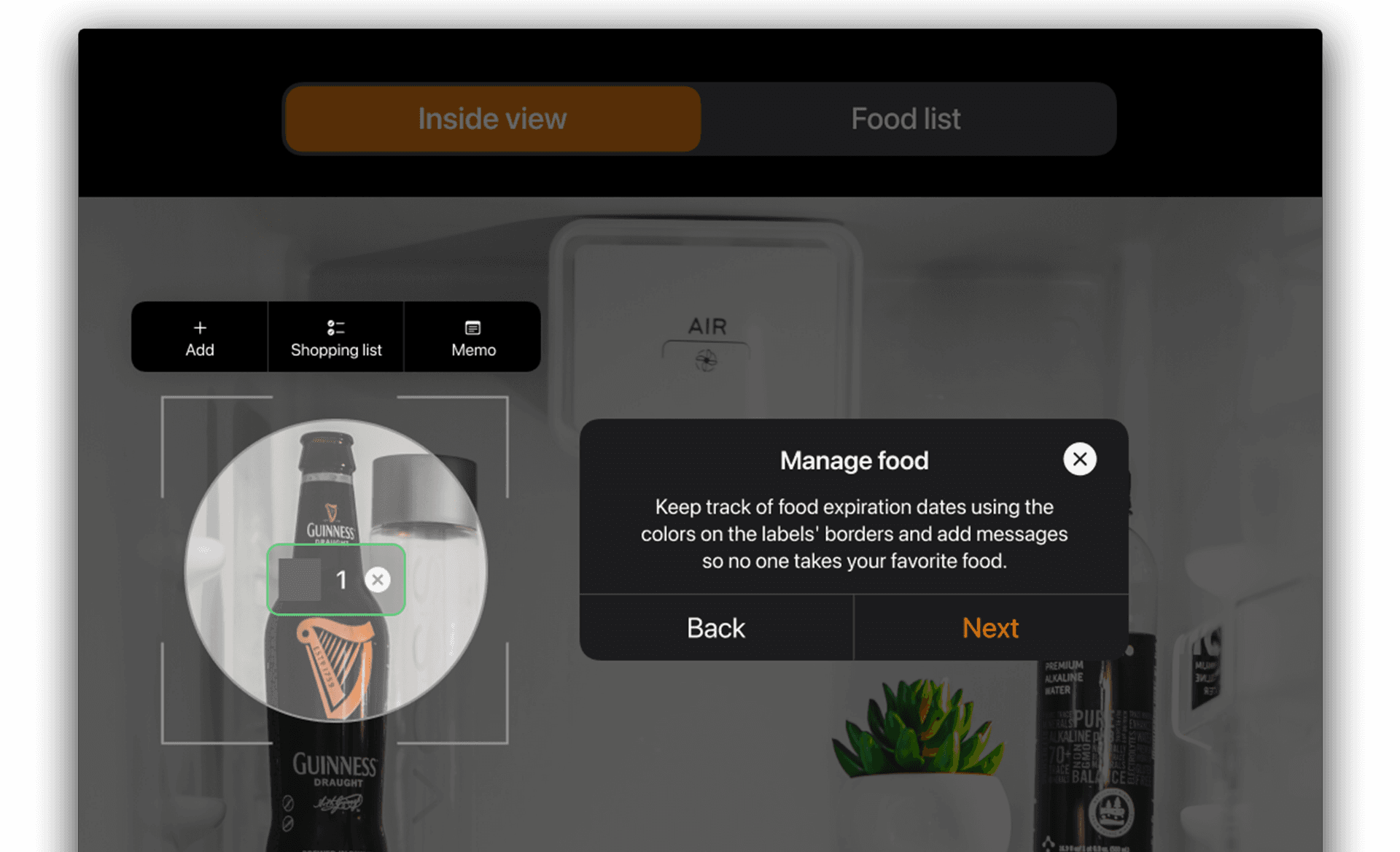
About
The project aims to improve the experience of interacting with a smart refrigerator for the first time. Considering all user profiles, the onboarding must be fluid, avoiding failures and redundancies, to make this process more efficient.
Project
This project was developed for a job vacancy.
Methods and techniques
Desk Research, CSD matrix, mind map, moodboard, interaction flow, crazy eights, wireframe, and high fidelity prototype.
Tools
Sketch, Miro, paper and pen.
iFridge logo that I created based on the aesthetics of the project
Discovery
Due to the little information available about smart refrigerators, I turned to news and video reviews about the products made by some users. Some insights I had:
- Users do not spend time in the refrigerator
- Polluted interfaces and hidden functions repel users
- They only interact with basic functions
- Most people regret buying a smart refrigerator because they don't know how to use it
Within the group researched, few like interacting with the refrigerator interface and, even so, need to mirror functions in the mobile application.
After identifying user friction points, I tried to understand more about the product.
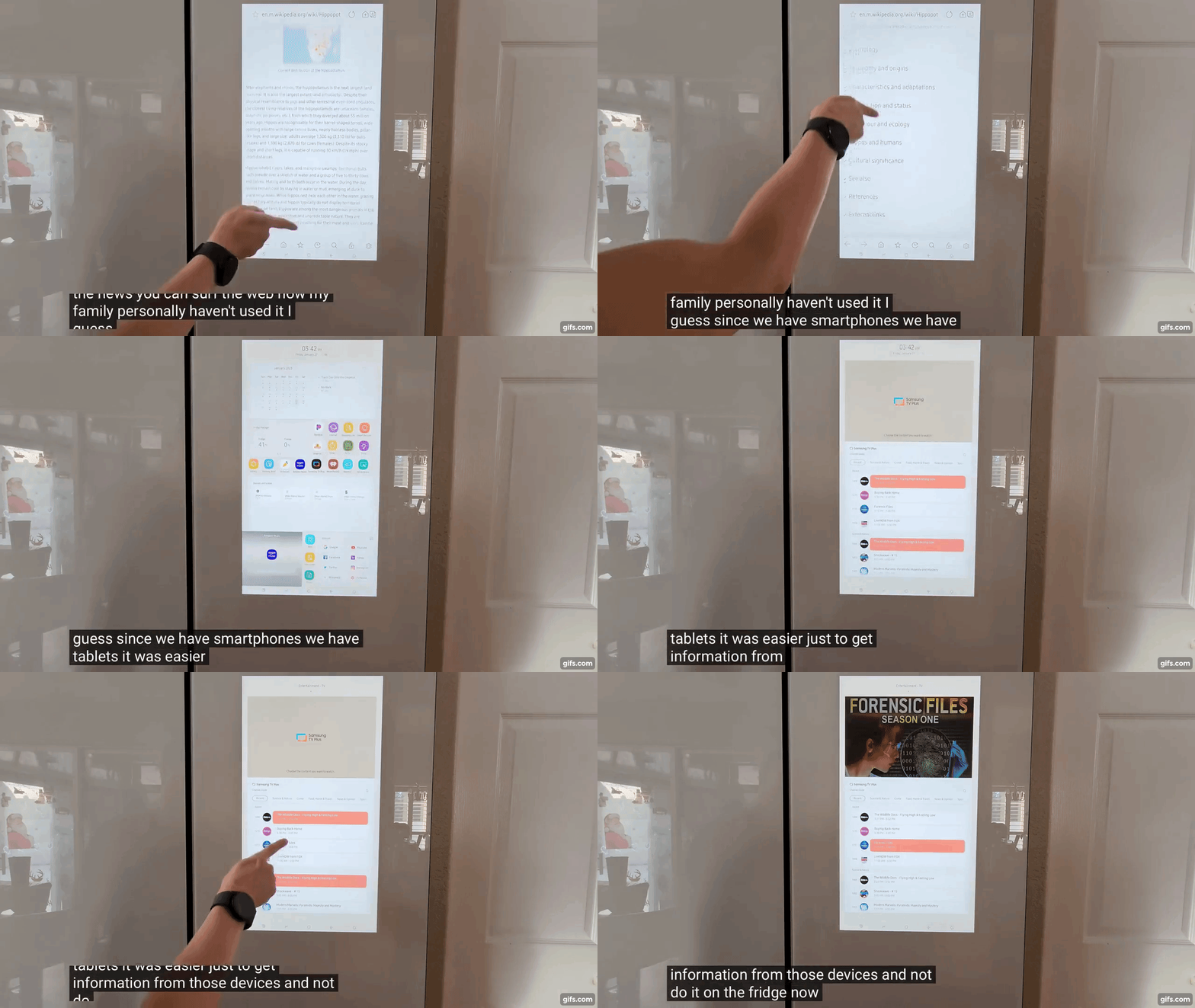
Youtube video by Robot Masters - https://youtu.be/c_CviuZFg1g?si=ybyyvWIdUKgBXcRG
Understand
I did some market research to find out what smart refrigerator models there are and what features they offer. I was impressed with the possibilities that exist in this type of product!
I observed what was in common between the models and structured a map of functionalities to have a complete view of the possible paths and thus direct my decisions.
To improve understanding, I researched good practices in systems onboarding and organized general insights into a CSD matrix.
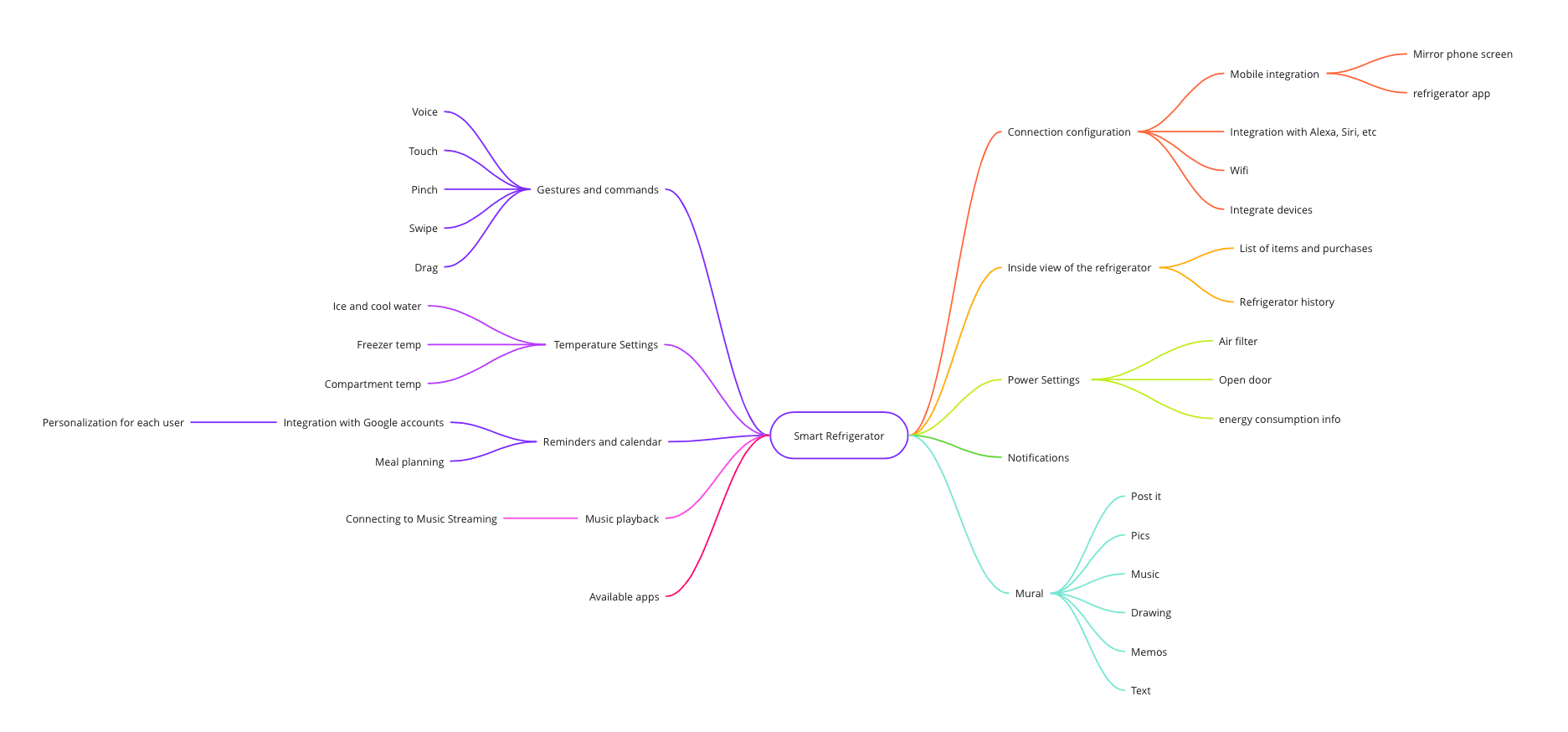
Feature structure map
Define
I selected 3 features that I considered essential to deliver value to the user during onboarding:
- Connection to devices
- Customization
- General settings
I established some requirements to make onboarding more interesting, such as the need to be interactive and have animations demonstrating how to do a task, as well as being a quick process so as not to lose user engagement.
Flow
Based on the requirements, I created the onboarding flow with the aim of being quick and objective. As I consider it one of the most important steps, I made many adjustments until I was satisfied, having built several different flows in the process.
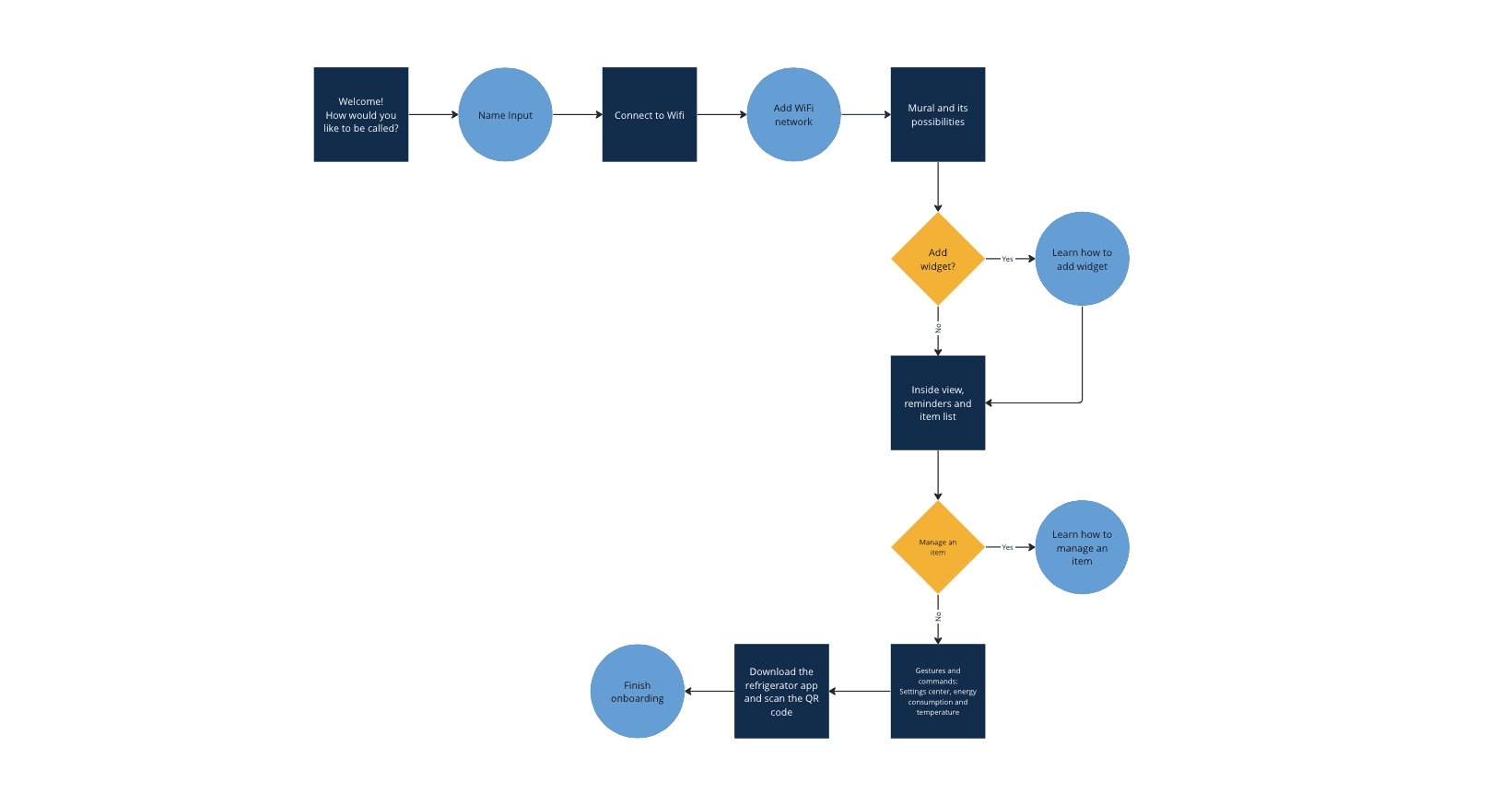
Onboarding flow
Moodboard
To guide the construction of the design, I determined keywords and images that represented the atmosphere of the solution. I based the onboarding aesthetic and tone of voice on characteristics such as cozy, creative and modern.
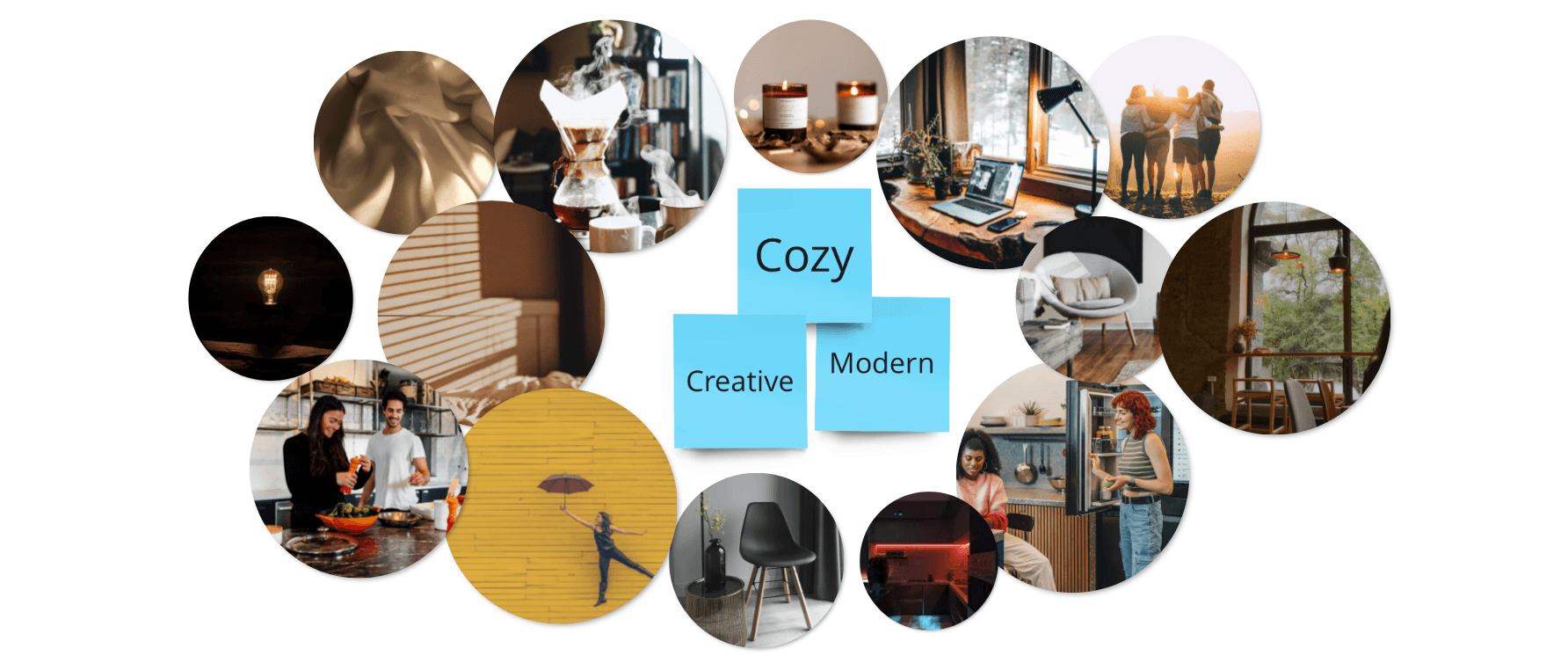
Moodboard representing the atmosphere of the solution
Ideate
Using the Crazy Eights technique I was able to generate several ideas in a short time for the solution. I like this technique because it always makes the most of my creativity.
I tried to use few texts and highlight the task to be performed, but I was careful to think about the screen layout and the functionalities displayed, even if they were not covered in the onboarding step by step.
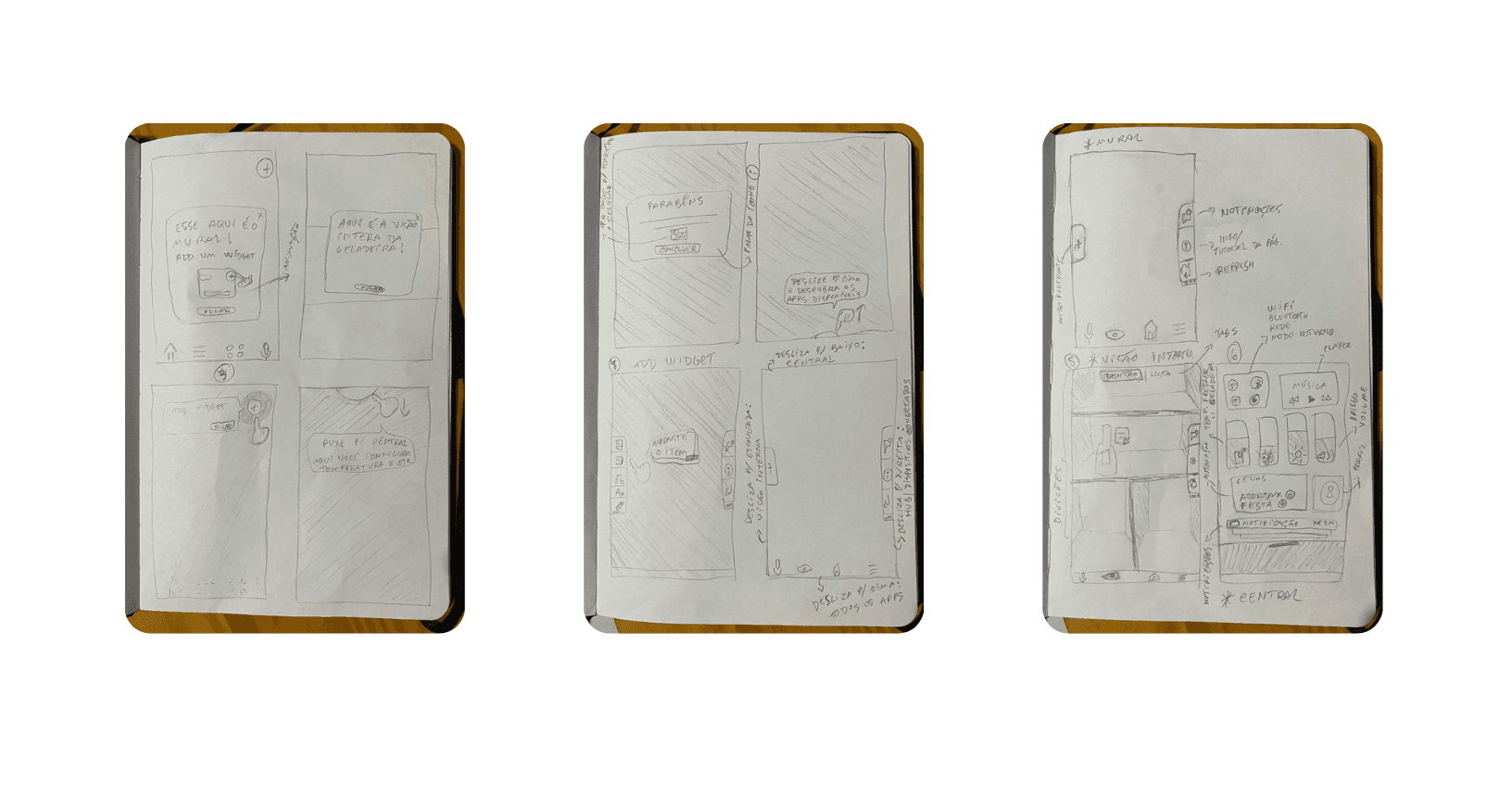
Moments of ideation are what I like most, especially when it happens in a group.
Design
Using wireframes, I designed the screens with a focus on simple and accessible navigation. I tested different layout options to achieve the objective but based on what already existed on the market to remain familiar with this type of system.
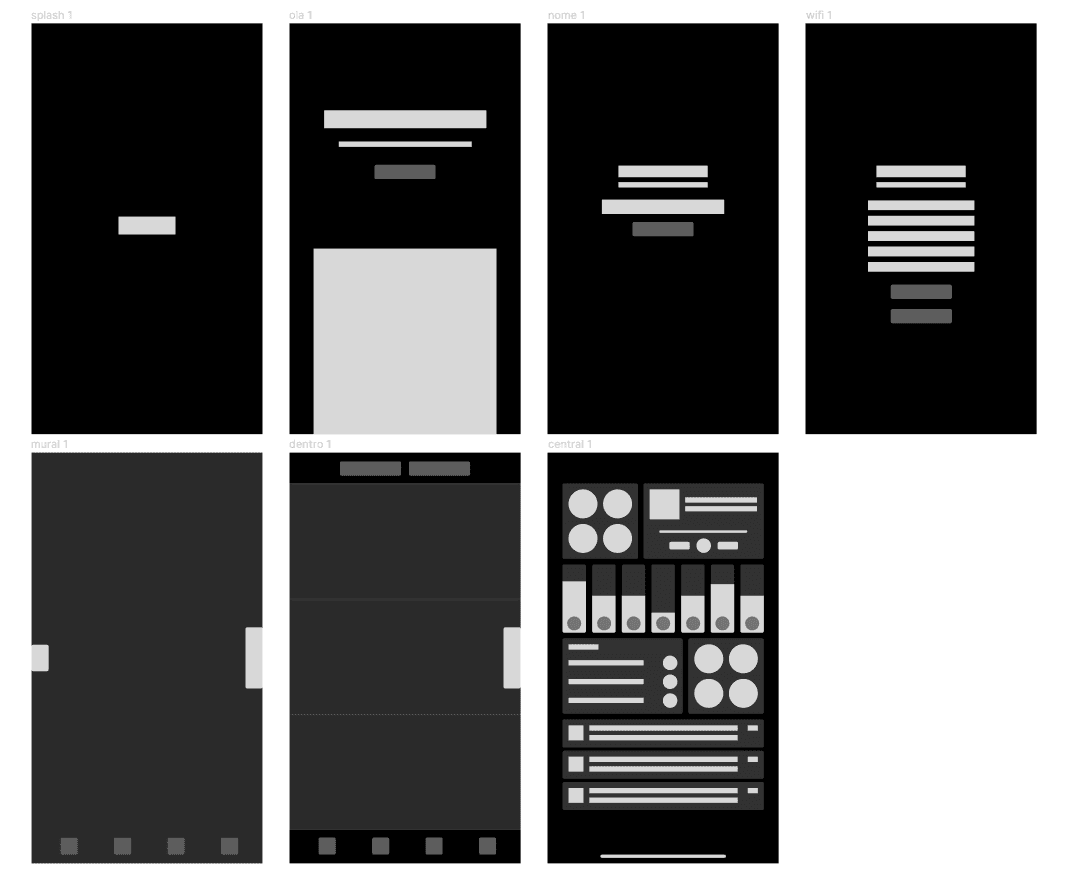
The focus is simple and accessible navigation
Layout
To bring the structure to life, I decided to work based on Apple's design system, the Human Interface Guidelines, as I have knowledge of using this library and consider it visually pleasing. The goal is also to expand the iOS experience and offer a familiar look to the user.
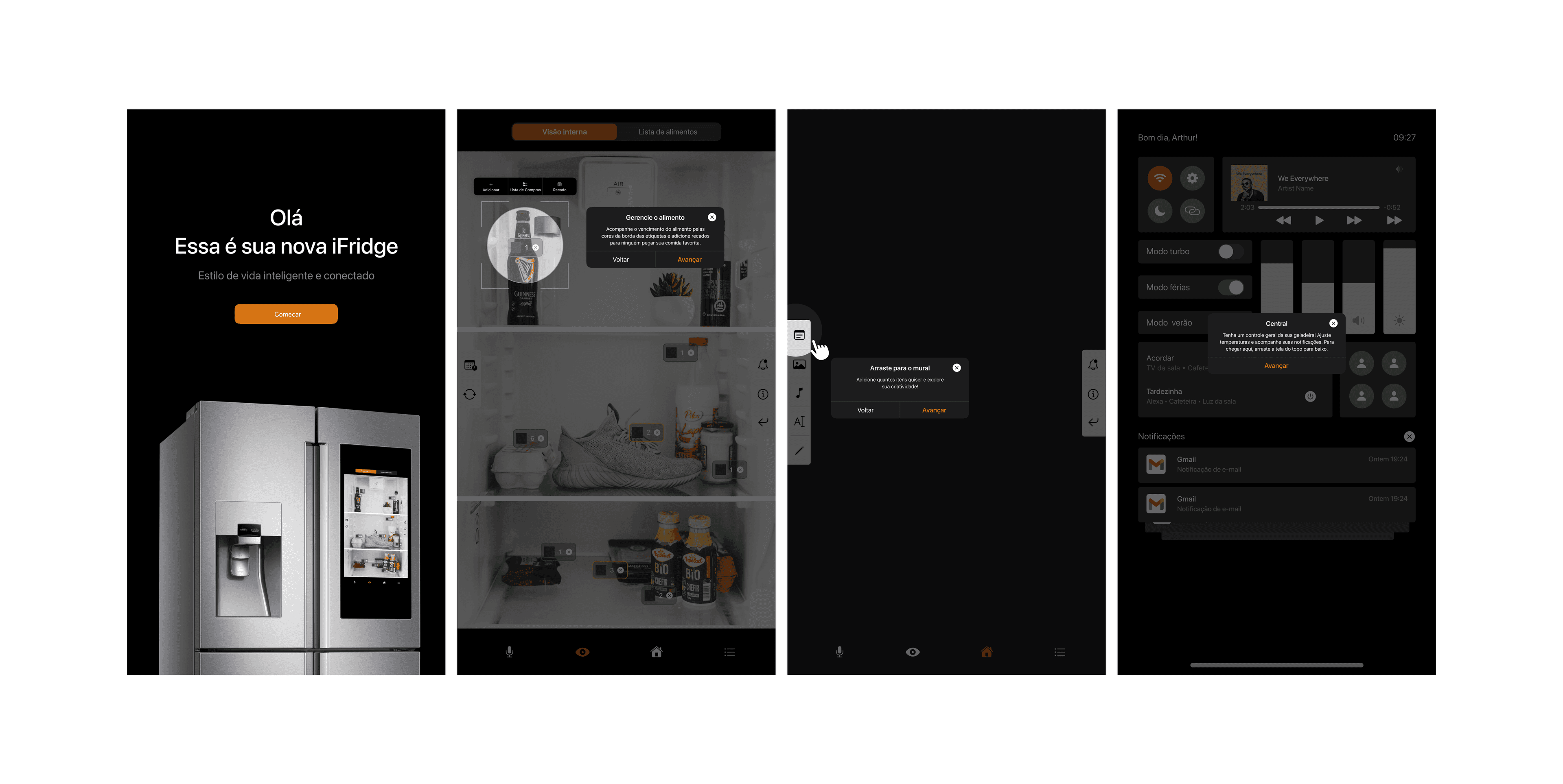
Some iFridge screens
Due to the short term of the project, it was not possible to carry out user testing, but I still see opportunities for improvement, such as:
- Analyze the contrast of the orange buttons
- Apply motion to micro-interactions
- Clean up the Notifications center
Prototype
I'm providing the link to access the interactive prototype and any feedback is welcome!
Learnings
Shortening processes, providing the greatest delivery of value to the user, requires a very large synthesis power. This challenge really boosted my critical thinking and prototyping skills, because, in addition to creating a flow that met the proposal, I chose to work with Apple's design system to create an innovative interface.